Grade 3 · 40-min
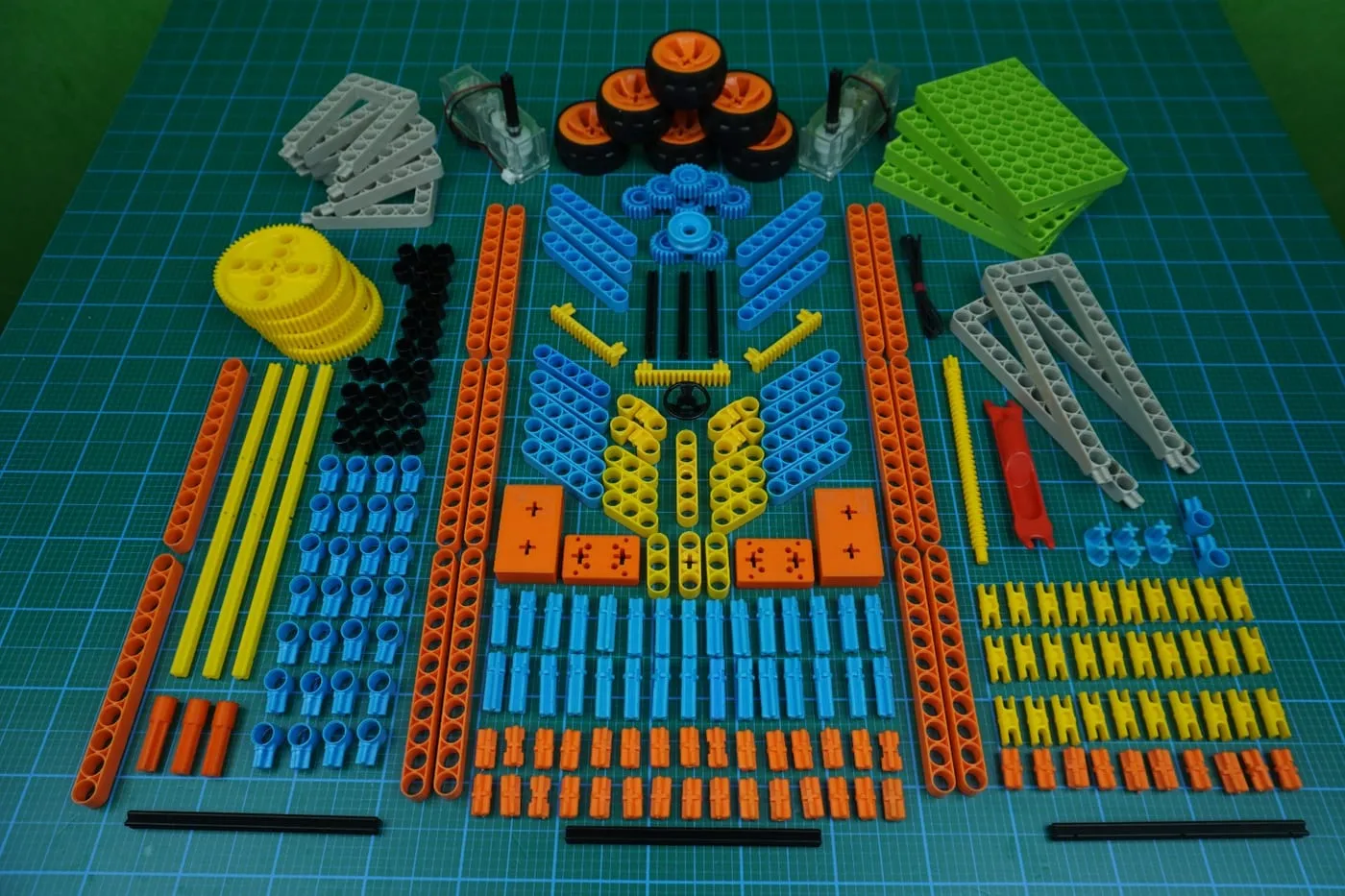
Junior Construction
No electronicsPure mechanical assembly: gears, levers and pulleys. Spatial reasoning and engineering intuition before any code.
View kit →AI and Robotics Lab · Grades 3–8
A complete Grade 3–8 AI and robotics programme: four graded kits in one pathway, 20–24 sessions per grade every year, and a video for every lesson. Students go from gears and levers in Grade 3 to training AI models and building them into robots. Aligned to NEP 2020 and NCF-SE 2023, built to run for years.
What it is
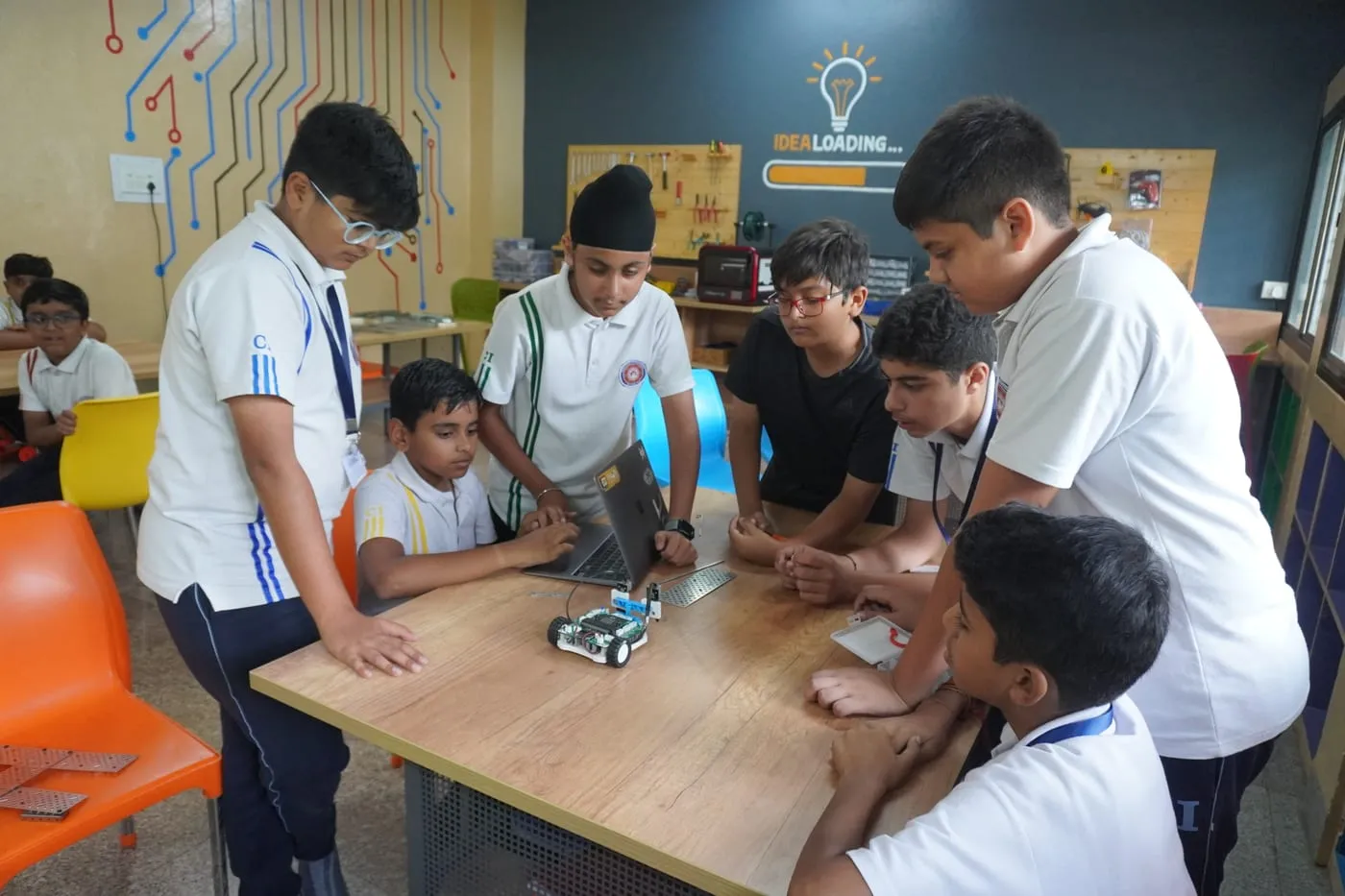
Most vendors give you a kit and a manual. Grobots gives you the full system: kits for each grade, a video for every lesson, training, books and competitions, all built to run year after year.
It is a structured programme, not a one-off purchase: a different kit for each stage, from mechanical building in Grade 3 to full AI projects in Grade 8, each with its own activities and outcomes.
Most school robotics labs stall in Year 2. This one is built to compound. Bhavans Group, Nagpur now runs Grobots in 7 branches.
The AI lab at a glance
The team behind Grobots: 12+ years in school robotics and tinkering, 300+ private schools, 1,500+ government schools.
The grade-wise pathway
Students never get more hardware than they are ready for. Responsibility increases gradually, not suddenly. For Grades 5–8, your timetable decides the kit: Ultima Lite for a 40-minute period, Ultima for an 80-minute block.
Grade 3 · 40-min
Pure mechanical assembly: gears, levers and pulleys. Spatial reasoning and engineering intuition before any code.
View kit →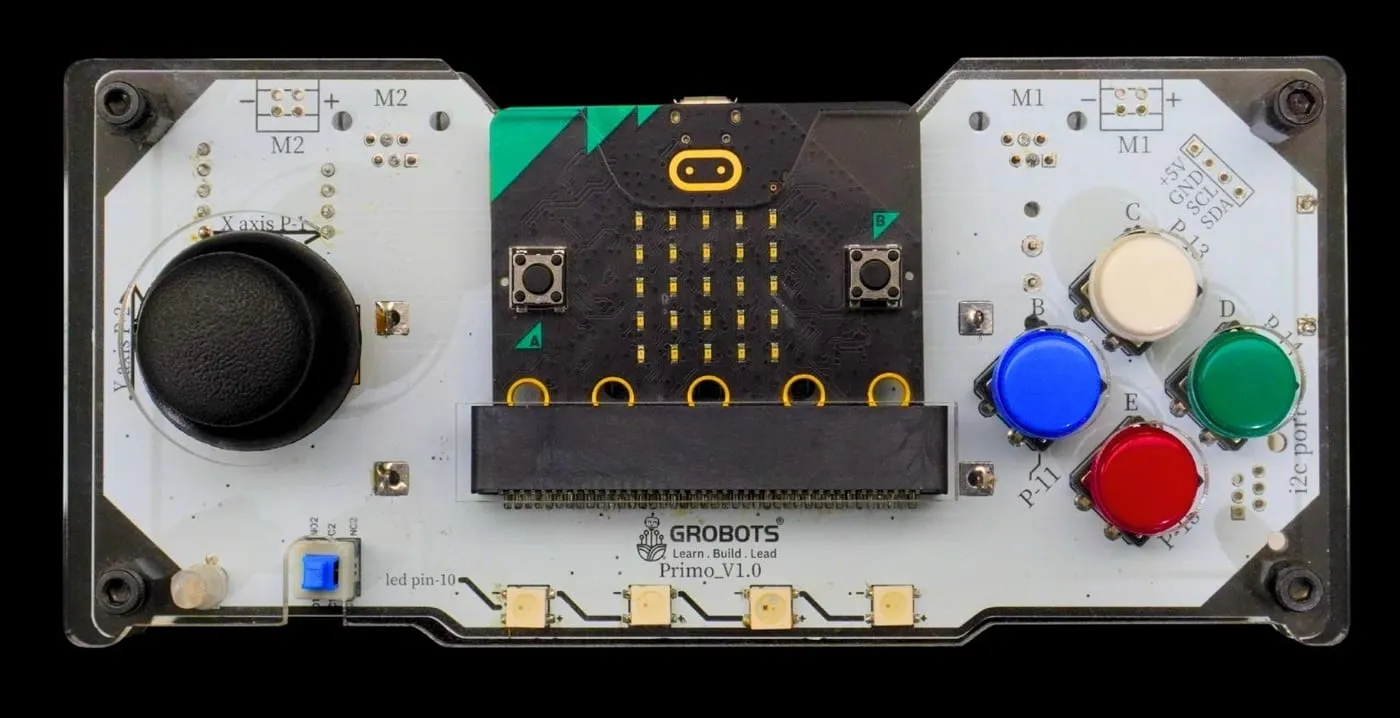
Grades 3–5 · 40-min
No wiring anxiety and no exposed electronics. Students build mechanical models and code them to move, in Groblox and MStudio.
View kit →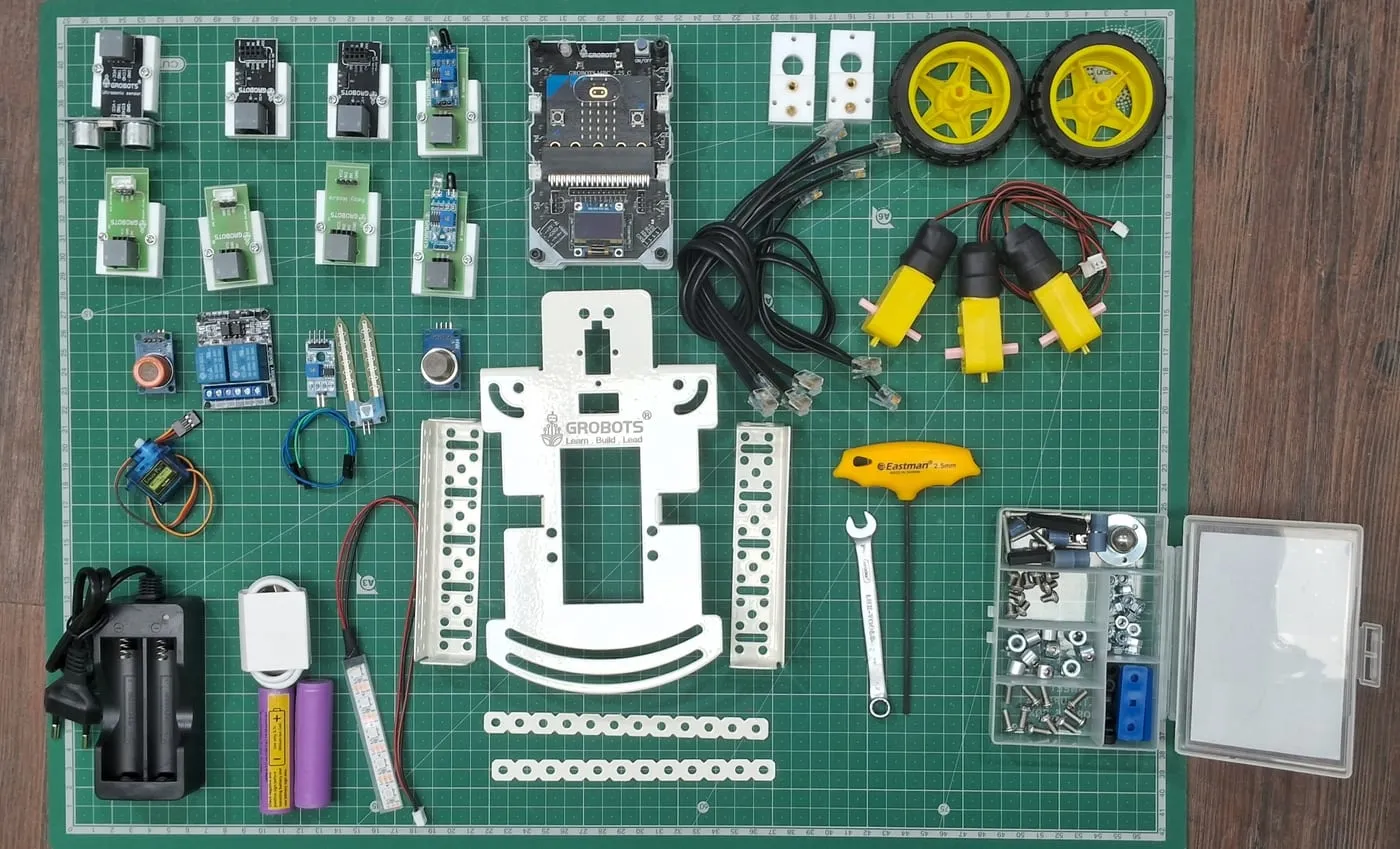
Grades 5–8 · 40-min / week
micro:bit V2 with the Ultima expansion board, sensors and AI vision. MStudio blocks to MicroPython, with AI training built in. Full AI in a once-a-week period.
View kit →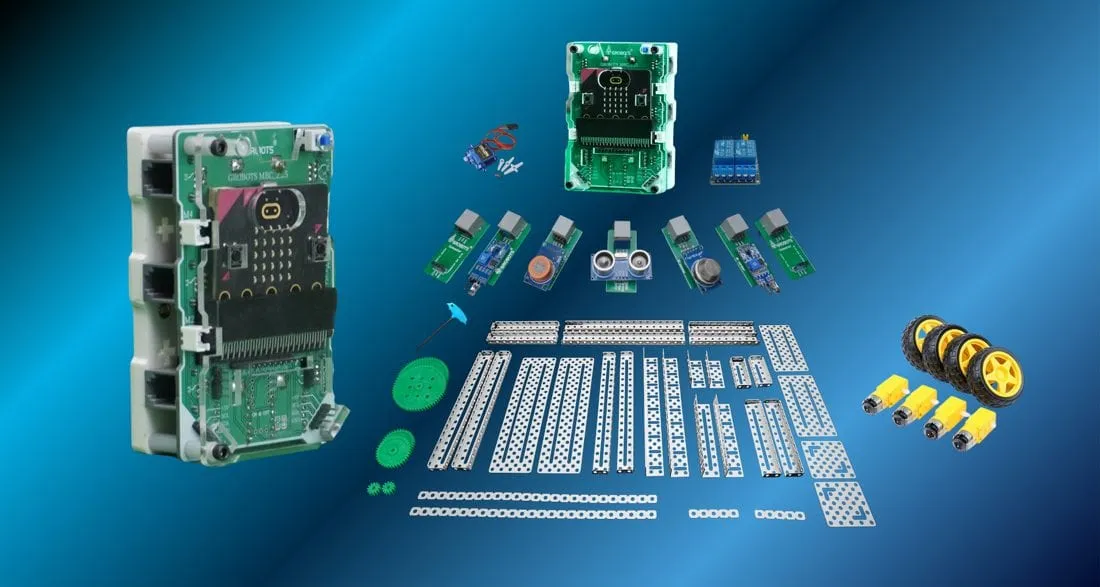
Grades 5–8 · 80-min / week
AI vision, 4 motors, multi-sensor builds and metal construction. Python and MIT App Inventor. Ready for the CBSE AI electives that follow.
View kit →Before Grade 3, Grobots Toto brings screen-less coding to pre-primary to Grade 2.
What's inside the AI lab
Every layer is built, maintained and supported by the same team. No vendor juggling, no curriculum gaps, no teacher left without support.
Hardware
Junior Construction (Grade 3), Primo (Grades 3–5), and Ultima Lite or Ultima (Grades 5–8, by period length). One ecosystem, graded complexity.
Curriculum
20–24 sessions per grade, every year, with defined learning outcomes. Not open-ended tinkering.
Teaching
Four guided lessons, then every fifth session is a Challenge session that doubles as the assessment.
Delivery
A teacher-facing video for every lesson, in English, Hindi and Marathi.
See the VMT →Support
Hands-on training before Day 1. Teachers complete a full lesson walkthrough on every kit.
Optional
A Grobots-certified facilitator who co-delivers sessions alongside your ICT teacher, especially in Year 1.
Engagement
Structured online robotics challenges across schools during the year, and events in person. A goal beyond the classroom.
Teacher and student
Teacher guides cover setup, delivery, common errors and assessment rubrics. Students get a printed workbook for every lesson, and course books in Grades 5–8.
The engine
The AI lab's depth comes from Ultima: micro:bit V2 with AI vision, an expansion board with a 4-motor driver, plug-and-play RJ11 sensor ports, and coding that climbs from MStudio blocks to MicroPython, with Python and MIT App Inventor for apps.
Coding progression, Grades 5–8: MStudio blocks → MicroPython, with AI training built into MStudio from Grade 6.
Full Ultima spec sheet → The micro:bit's accelerometer drives a car with hand tilts, using AI-trained gesture recognition.
Students train a face or object recognition model, then deploy it in an app built with MIT App Inventor.
Soil-moisture and light sensors plus an automated water pump. Real IoT, not a simulation.
Twin IR sensors and a 4-motor drive. Competition-grade builds.
Built for the real school
Most CBSE schools already have three ICT periods a week. Grobots fits inside one of them, and your existing ICT teacher delivers it.
Two periods for core ICT concepts and skills, one for the Grobots lab. A lab that fits your schedule actually gets used.
Period length
Junior Construction, Primo and Ultima Lite finish inside a 40-minute ICT period. Ultima is built for the 80-minute lab block.
Teacher
No new hire. The Virtual Master Trainer guides your teacher through every lesson, after onsite training from our team.
Calendar
A full annual plan mapped to the school calendar, allowing for exams, PTMs and holidays.
Language
Content in English, Hindi and Marathi, so Tier-2 and Hindi-medium schools deliver Grobots with no language barrier.
CBSE and policy alignment
Every part of the Grobots AI lab maps to a policy, code or framework. Academic heads and auditors can check it line by line, including the CBSE AI Skill Subject Code 417.
| Code or standard | What it covers | What Grobots delivers |
|---|---|---|
| NEP 2020 · Sec 4.9 | No hard separation between academic and vocational streams | AI and computational thinking embedded as a cross-curricular skill from Grade 3 |
| NCF-SE 2023 · Sec 9.1.3 | Three forms of work, including machines and materials | Robotics, electronics and mechatronics covered end to end |
| Ministry of Education: AI from Grade 3 | AI and computational thinking from Grade 3 | The pathway begins in Grade 3 with the Junior Construction Kit |
| CBSE Skill Subject Code 417 (elective) | Artificial Intelligence, Classes 9–10 | The Grade 3–8 pathway builds the competencies students need if they take Code 417 |
| CBSE Skill Subject Code 843 (elective) | Artificial Intelligence, Classes 11–12 | The same pathway extends into Code 843 if the school offers it |
Codes 417 and 843 are optional electives a school may choose to offer. For the CBSE Composite Skill Lab under Circular Skill-75/2024, see the Composite Skills Lab; for board-wise details, see Grobots for CBSE schools.
Case study · Managed Lab · Year 2
Bhavans Group, Nagpur runs Grobots in 7 branches. In Year 2, four Bhavans branches reached the CBSE Nationals, and BVM Civil Lines qualified in both the Senior and Junior groups.
Other Year 2 results: 1st rank at the VNIT Arduino Expo (Koradi), 1st prize at CSIR-NEERI 2024 (Shri Krishna Nagar), and the Innovation Ambassador Trophy and Aurora 4.0 Overall Trophy at DPS Mihan (Trimurti Nagar).
Read the full Year 2 case study →Configurations
Most schools land on one of these. Every lab is then shaped to your grades, weekly session length, student numbers and the infrastructure you already have, and every proposal is priced for your school.
| Module | Status | What it covers |
|---|---|---|
| Grobots core | Included | Junior Construction, Primo, and Ultima Lite or Ultima by session length · grade-mapped curriculum · onsite teacher training · Virtual Master Trainer · Year 1 support |
| Lab furniture and branding | Optional | Workstations, storage, signage and safety posters |
| IT infrastructure | Optional | Lab PCs, an interactive panel and networking. Skip it if your school already has these. |
One-time setup on a single order. Optional modules are listed separately, so you decide what to include. Choose a Managed Lab if you want a Grobots trainer to run it.
Implementation
A predictable, week-by-week rollout, with one team and one point of contact.
Our team visits, surveys the lab room, confirms the layout and finalises the kit-to-grade mapping.
Your team completes any prep work: power points, furniture (if not supplied by us) and network access.
Kits, books, software access and any optional IT infrastructure arrive at the school.
We install and commission every kit and station, and test them end to end.
Teachers run a full lesson hands-on with every kit and get set up on the VMT platform.
First sessions go live with students. Year 1 phone and on-call support begins.
Questions principals ask
Students can start as early as Grade 3 with mechanical building and then block coding. No prior experience is needed, for students or teachers. The pathway adds MicroPython, Python and AI only as students are ready, so a class beginning in any grade joins at the right point and never repeats what it already knows.
Yes. CBSE Skill Subject Code 417 (Artificial Intelligence, Classes 9–10) and Code 843 (Classes 11–12) are optional electives a school may choose to offer. The Grade 3–8 pathway builds the AI, computational thinking and MicroPython skills students need to take up Code 417 confidently in Grade 9. The lab itself is aligned to NEP 2020 and NCF-SE 2023.
Junior Construction, Primo and Ultima Lite are designed for a 40-minute ICT period, with setup, activity and clean-up included. Grobots Ultima is designed for an 80-minute lab block. Both Ultima kits cover Grades 5–8 and teach the same AI skills, so a school without 80-minute slots simply uses Ultima Lite through Grade 8.
Yes, that is what the programme is designed for. The Virtual Master Trainer gives step-by-step video for every lesson in English, Hindi and Marathi, and we train your teachers onsite before Day 1. The team behind Grobots has spent 12+ years training teachers with no prior robotics background to run hands-on labs.
Most schools do, so skip the optional IT module. Grobots software runs on your existing Windows PCs, Android tablets or Raspberry Pi, with no separate software licences to buy. AI training and AI activities run offline, and the Virtual Master Trainer can be served from a school server where the internet is weak.
The core lab is a one-time setup, and Year 1 phone and on-call support is included. From Year 2, an optional annual maintenance plan covers repairs, replacements and continued VMT access. Many schools also expand to more grade levels, or move to a Managed Lab with a Grobots trainer on campus.
The AI and Robotics Lab focuses on AI, robotics and computational thinking for Grades 3–8, building toward the optional Code 417 elective. The Composite Skills Lab is the multi-skill lab that CBSE Circular Skill-75/2024 asks schools to set up for Classes 6–10, covering all three forms of work. Many schools start with one and add the other; the robotics kits work in both.
Tell us your grades, session length and timeline. You'll get a proposal for your school, with optional modules listed separately. No obligation.